100% lokāla apstrāde, bez augšupielādes, nekad
Noņemiet personas datus
no jebkura dokumenta
sekundēs
Ielīmējiet tekstu vai augšupielādējiet failu. Vārdi, e-pasti, IBAN, pases numuri un daudz kas cits tiek atklāts un noņemts nekavējoties, pilnībā jūsu pārlūkprogrammā, un nekas neatstāj jūsu ierīci.
Attīriet tekstu
Ielīmējiet jebkuru dokumentu un nekavējoties noņemiet personas datus: 100% lokāli, bez augšupielādes
Augšupielādējiet failu
Augšupielādējiet DOCX vai TXT bez maksas, vai PDF, Excel un vairāk ar PRO
Instalējiet paplašinājumu
Noņemiet personas datus tieši pārlūkprogrammā ar Chrome un Edge paplašinājumu
GDPR atbilstīgs
Bez augšupielādes
Konts nav vajadzīgs
Darbojas bezsaistē
As seen on


Konts nav vajadzīgs
100% lokāli
Nav mākoņkrātuves
GDPR atbilstīgs
Attīriet pirms kopīgošanas
Kā tas darbojas
Četri soļi jebkura dokumenta attīrīšanai
Bez konta. Bez augšupielādes. Viss paliek jūsu ierīcē. Sekojiet zemāk esošajiem soļiem.
1
1. solis
Ielīmējiet tekstu vai augšupielādējiet failu
Ierakstiet vai ielīmējiet dokumentu, vai augšupielādējiet DOCX vai TXT failu. Nekas neatstāj jūsu ierīci.
2
2. solis
Tīrīšanas priekšskatījums
Noklikšķiniet uz Priekšskatījums, lai krāsaini iezīmētu visus atklātos personas datus. Vēl nekas netiek mainīts.
3
3. solis
Dzēst un kopēt
Noklikšķiniet uz Dzēst un kopēt, lai aizstātu visus personas datus ar tīriem marķieriem. Rezultāts tūlīt tiek kopēts starpliktuvē.
4
4. solis
Droši kopīgojiet vai izmantojiet
Ielīmējiet notīrīto dokumentu jebkur. Bez personas datiem.
Detection Categories
▾
toggle types on/off before running Step 1 or Step 2
Custom Detection
PRO
?
What does Custom Detection do? Add your own terms, names, project codenames or anything else you want detected alongside the standard categories like emails and phone numbers. Type a term and press Enter or click Add. You can add as many as you like. Every keyword is matched and cleaned the same way as built-in categories, entirely on your device.
Custom detection requires Pro
or drag & drop a file here
0 PII items detected
Aizstājiet visus personas datus ar marķieriem un nokopējiet tīro tekstu
Personas dati ir iezīmēti. Vēl nekas nav mainījies.
Paste your text above and click Step 1: Preview Information. Highlighted PII will appear here.
Rename What Gets Removed
PRO
?
What does Rename What Gets Removed do? When the tool removes a piece of personal information, it puts a placeholder in its place. By default that placeholder looks like
[EMAIL_1] or [PHONE_1]. If you prefer a different label, type it in the box for that category. For example you could use [REDACTED] or ████. If you want each placeholder to be numbered, include {n} in your label and it will become [HIDDEN_1], [HIDDEN_2] and so on. Leave any box empty to keep the default for that category. Once you are happy with your labels, click Apply Tokens.
Leave blank to use defaults like [EMAIL_1]. Use {n} for numbering, for example [HIDDEN_{n}]
Selective Cleanup: uncheck items to keep them
PRO
Show the original and cleaned text side by side to review every change
Side-by-Side Comparison
Original
Cleaned
Kopējiet dokumentu bez personas datiem, drošs jebkuram AI rīkam
Personas dati aizstāti ar marķieriem, droši kopīgošanai.
Your clean text will appear here after you click Step 2: Erase & Copy.
Lejupielādēt attīrīto failu
Download as plain text, free and unlimited
Download as a Word document, free and unlimited
Download as PDF, which requires a Pro licence
Download as an Excel spreadsheet, which requires a Pro licence
Download as CSV, which requires a Pro licence
Download as Markdown, which requires a Pro licence
Download as HTML, which requires a Pro licence
Download as LaTeX, which requires a Pro licence
Download a structured audit log of all detected PII for free
Export a branded one-page cleanup summary as PDF, which requires Pro
Download TXT, DOCX and Audit JSON together as a ZIP, which requires Pro
Plain text only; original formatting and layout are not preserved
Session History
PRO
click any entry to restore
Supported formats
·
TXTPlain text, free and unlimited
DOCXWord documents, free and unlimited
PDF (Pro)Text-based PDFs, Pro only
XLSX (Pro)Excel spreadsheets, Pro only
MD (Pro)Markdown, Pro only
HTML (Pro)HTML files, Pro only
LaTeX (Pro)LaTeX, Pro only
·
⚠ .doc not supported, so save as .docx or .txt first
TXT and DOCX are free and unlimited. PDF, XLSX, CSV, Markdown, HTML and LaTeX require a Pro licence →
🔒 Privātuma garantija: Visa apstrāde notiek 100% lokāli jūsū pārlūkprogrammā. Jūsu dokumenti nekad neatstāj jūsu ierīci.
Unlock PDF, Excel and More: Try Pro
Upgrade to Pro to clean PDFs, Excel, Markdown and more for a one-time $20 payment
Kāpēc izmantot PrivacyPromptAI?

100% lokāli
Visa personas datu atpazīšana notiek jūsu pārlūkprogrammā. Jūsu dati nekad neatstāj jūsu ierīci.

Tūlītēji rezultāti
Ielīmējiet tekstu vai augšupielādējiet failus. Iegūstiet tīru rezultātu sekundēs.

23 valodas
Automātiski atpazīst personas datus visās 23 ES oficiālajās valodās.
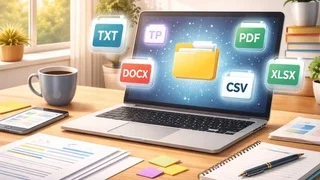
Vairāki formāti
Darbojas ar TXT un DOCX bez maksas. PRO pievieno PDF, Excel, CSV un Markdown.

Viedā atpazīšana
Atrod vārdus, e-pastus, tālruņu numurus, identifikatorus, IBAN, adreses un daudz ko citu.

Bezmaksas pamatrīks
Neierobežota TXT un DOCX apstrāde, bez maksas, bez konta.
Why No Account?
Because we don't need yours. No email, no password, no tracking. Your session exists only in your browser, so when you close the tab, it's gone. That's not a limitation. That's the point.
What We Detect
Names
Emails
Phone Numbers
IBANs
Passport Numbers
Credit Cards
SSNs
IP Addresses
Dates
Custom Keywords
Stays On Your Device
① You paste or upload your document
② JavaScript detects PII in-memory
③ Clean text is ready to copy
④ Nothing ever leaves your browser
Learn More About Privacy & PII
Frequently Asked Questions
PrivacyPromptAI is a free, browser-based PII cleaning tool. It detects and removes personally identifiable information, including names, emails, phone numbers, IBANs, national IDs and more, from text and documents entirely within your browser. Nothing is uploaded to any server. Try it free →
When you paste a document into an AI tool like ChatGPT or Claude, that content is transmitted to and processed on the AI provider's external servers. If the document contains personal data, this may violate GDPR Article 28, which requires a Data Processing Agreement before transferring personal data to third parties. Cleaning PII first eliminates this risk entirely. Read about GDPR compliance →
Two methods work together: pattern matching (regular expressions for emails, phone numbers, IBANs, credit cards, IP addresses, postcodes and dates) and Named Entity Recognition (NER) for personal names and organisation names. All detection runs in your browser, so no text is ever sent to a server. See all features →
Yes. Once the page has loaded, PrivacyPromptAI runs entirely in your browser with no internet connection required. All PII detection and cleanup is performed locally using JavaScript, so it works even without network access.
Yes. The core tool is free to use, with no account, no sign-up and no usage limit. You can clean TXT and DOCX files an unlimited number of times at no cost. It detects all major personal information (PII) types and works in 23 languages. A one-time Pro upgrade ($20) unlocks PDF, Excel, CSV and other formats. See what Pro includes →
No. All processing happens entirely in your browser using JavaScript. Your documents never leave your device and are never sent to any server, not even ours. This is what makes PrivacyPromptAI GDPR-compliant by design.
The free tier supports TXT (plain text) and DOCX (Microsoft Word) files, with no limit on how many times you can use them. You can also paste text directly in the cleaning tool on this page. The Pro licence ($20 one-time) adds PDF, XLSX, CSV, Markdown, HTML and LaTeX. Upload a file →
PrivacyPromptAI supports 23 languages and detects the language of your document automatically, with no manual selection needed. Pattern-based detection for emails, IBANs, phone numbers and credit cards works reliably across all languages. See all features →
Cleaning permanently removes personal information: the data is gone and cannot be recovered. Encryption scrambles data but the original still exists and could be exposed if the key is compromised. For sharing documents with AI tools or third parties, cleaning is generally the safer choice.
Yes. Paste the email thread text into PrivacyPromptAI and it will detect and remove names, addresses, phone numbers and more throughout the thread, including quoted replies. Pro batch mode lets you handle multiple threads in one session. Try it free →
Our full FAQ page covers GDPR compliance, metadata removal, law firm use, CCPA, browser tab data clearing, PII vs PHI, language support and much more. See all frequently asked questions →